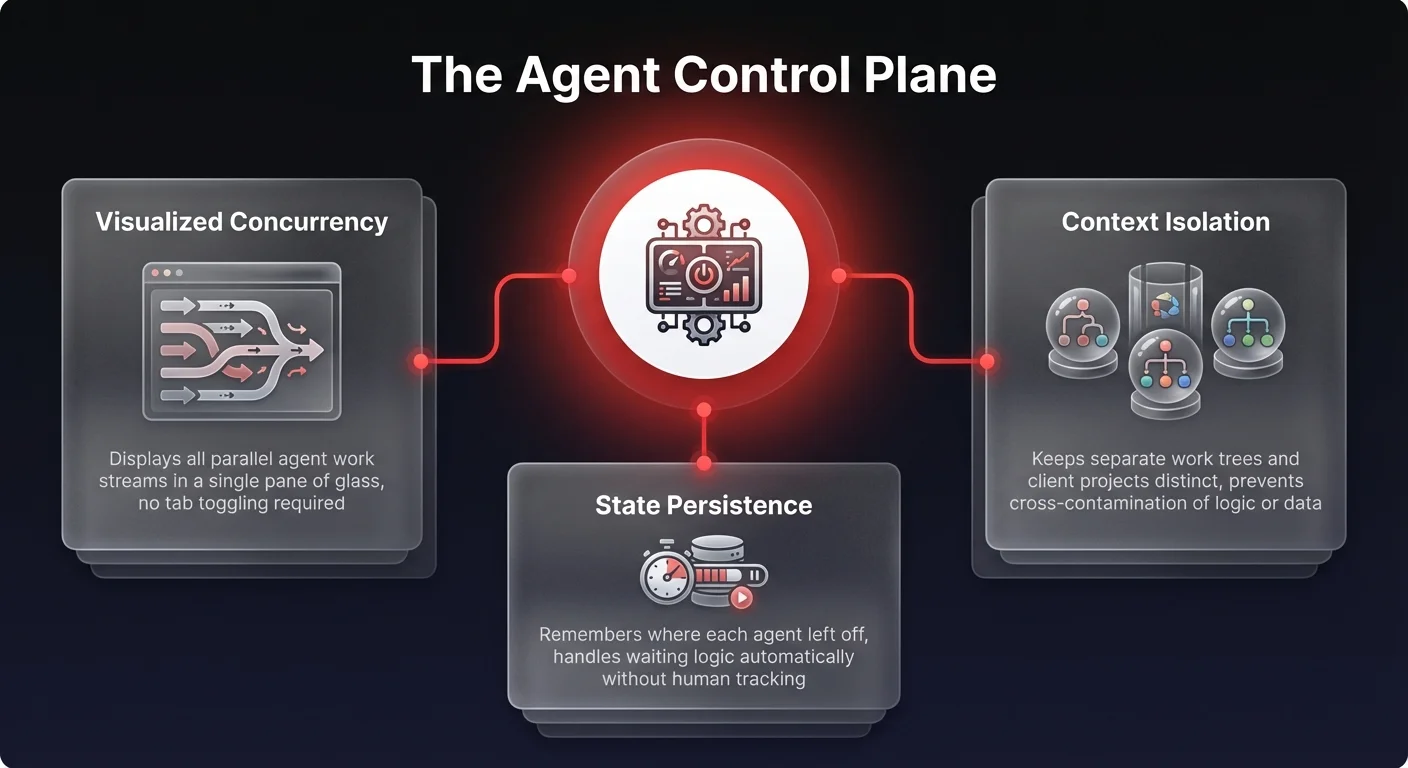

Managing AI agents is the operational discipline of overseeing autonomous AI systems as they execute complex business tasks in parallel — and it is rapidly becoming a core organizational competency. As organizations move beyond simple chat interfaces, the critical bottleneck is not compute power, model intelligence, or context windows. It is human cognitive capacity: specifically, the ability to track multiple concurrent agent workflows without losing visibility or control.
Recent insights from advanced developer workflows reveal a surprising reality: even technical power users who prefer command-line interfaces (CLIs) are hitting a wall when orchestrating multiple agents. The future of scalable AI operations lies not in faster terminals, but in visual control planes that solve the complexity of state management.
The cognitive ceiling: the 5-10 thread limit
There is a hard limit to how many concurrent tasks a human manager can effectively track. Operational research and developer experiences suggest that most people maximize their cognitive load at roughly five to ten parallel threads of execution.
In a traditional workflow, a human might handle one task at a time. In an AI-augmented workflow, that same human might deploy an agent to research a competitor, another to draft a sales sequence, and a third to debug code.
Ideally, this multiplication of labor should result in linear or exponential productivity gains. However, the reality is often different. When managing these agents via fragmented tools or terminal-based interfaces, the operator spends more mental energy tracking the agents than the agents save in labor.
This phenomenon creates a specific operational ceiling. Once an organization attempts to scale beyond a handful of ad-hoc agents, the lack of a unified visual interface causes the system to buckle. The agents keep working, but the human oversight breaks down, leading to what we call "ungoverned agent sprawl."
The state management trap: where efficiency goes to die
The friction in managing AI agents isn't in the initiation of the task; it is in the "state management."
When a leader deploys ten agents simultaneously, they enter a complex matrix of waiting states. The cognitive load comprises several taxing mental processes:
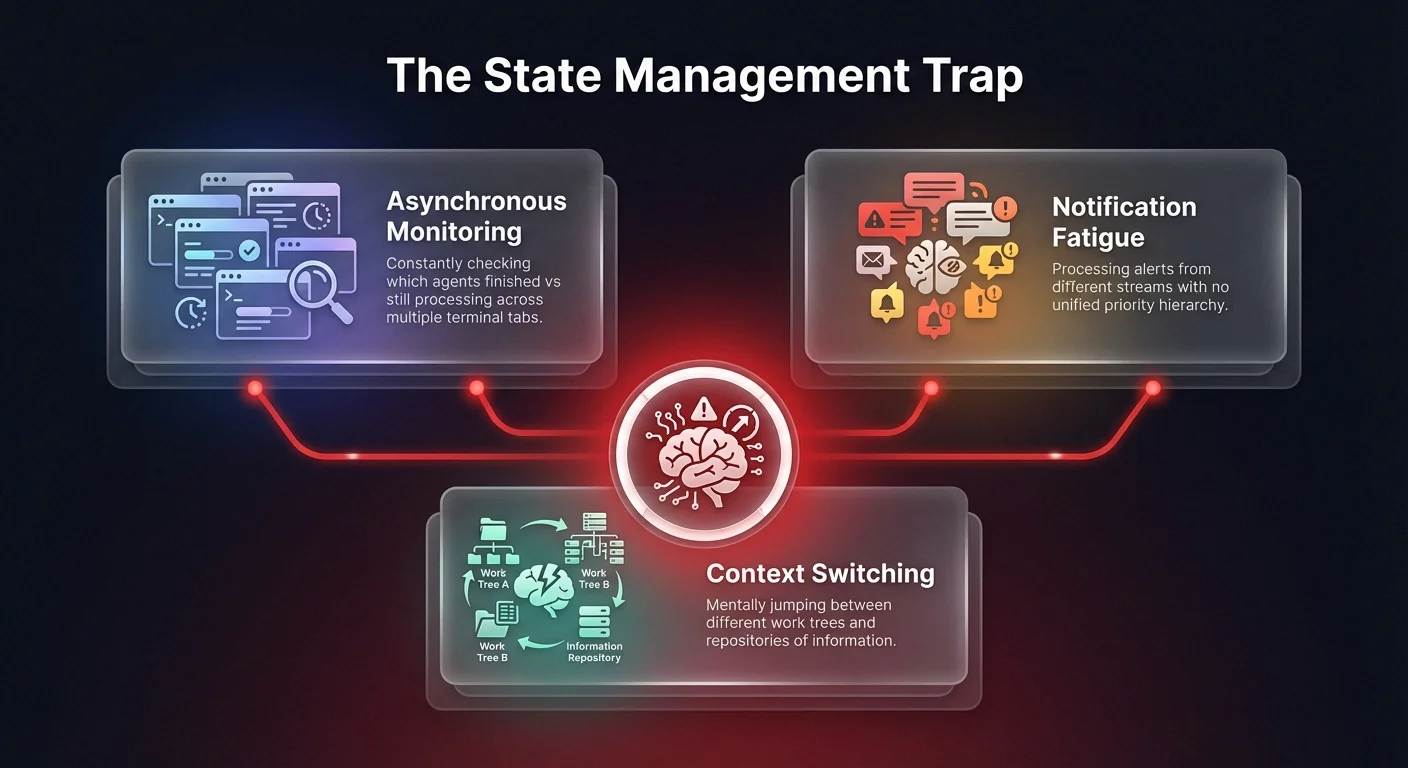
- Asynchronous monitoring: constantly checking which agents have finished and which are still processing.
- Notification fatigue: processing alerts from different streams without a unified priority hierarchy.
- Context switching: mentally jumping between different "work trees" or repositories of information.
For example, an Operations VP running a lead enrichment process might have agents accessing a CRM, a LinkedIn scraper, and a data enrichment API simultaneously. If managed through disjointed windows or a command line, the VP must mentally maintain the state of each process.
Did Agent A finish the scrape? Is Agent B waiting for approval? Did Agent C error out?
This mental juggling act is where the "10-thread limit" becomes a hard barrier. The complexity of interleaving these different threads of execution overwhelms the brain's working memory. Without a visual tool to offload this state management, the operator cannot "go deep" on any single problem because they are too busy acting as a human router for their digital workforce.
Why local execution and CLIs fail at scale
For years, the gold standard for technical execution has been the terminal. It is fast, direct, and scriptable. However, recent shifts in developer tooling - specifically regarding tools like the Codex app - highlight a changing paradigm.
Even developers who self-identify as terminal purists are finding that graphical user interfaces (GUIs) are strictly superior for multi-agent orchestration. The reason is visibility.
A terminal window is linear. It scrolls. History gets buried. To manage parallel agents in a terminal, a user typically opens multiple tabs. This mimics the "browser tab overload" problem but applies it to active operational processes.
A visual interface, by contrast, spatializes the information. It allows the user to see the state of multiple agents at a glance - green for active, red for error, yellow for waiting. This visual "chunking" of information bypasses the cognitive bottleneck, allowing a single operator to potentially manage 50 agents with the same mental effort used to manage five in a terminal.
For operations leaders, this distinction is critical. If highly technical developers are abandoning the CLI for visual tools to manage their agents, it implies that business teams (who lack CLI expertise entirely) have no hope of scaling AI without a robust, visual orchestration layer — a principle central to how we architect AI agents for enterprise operations.