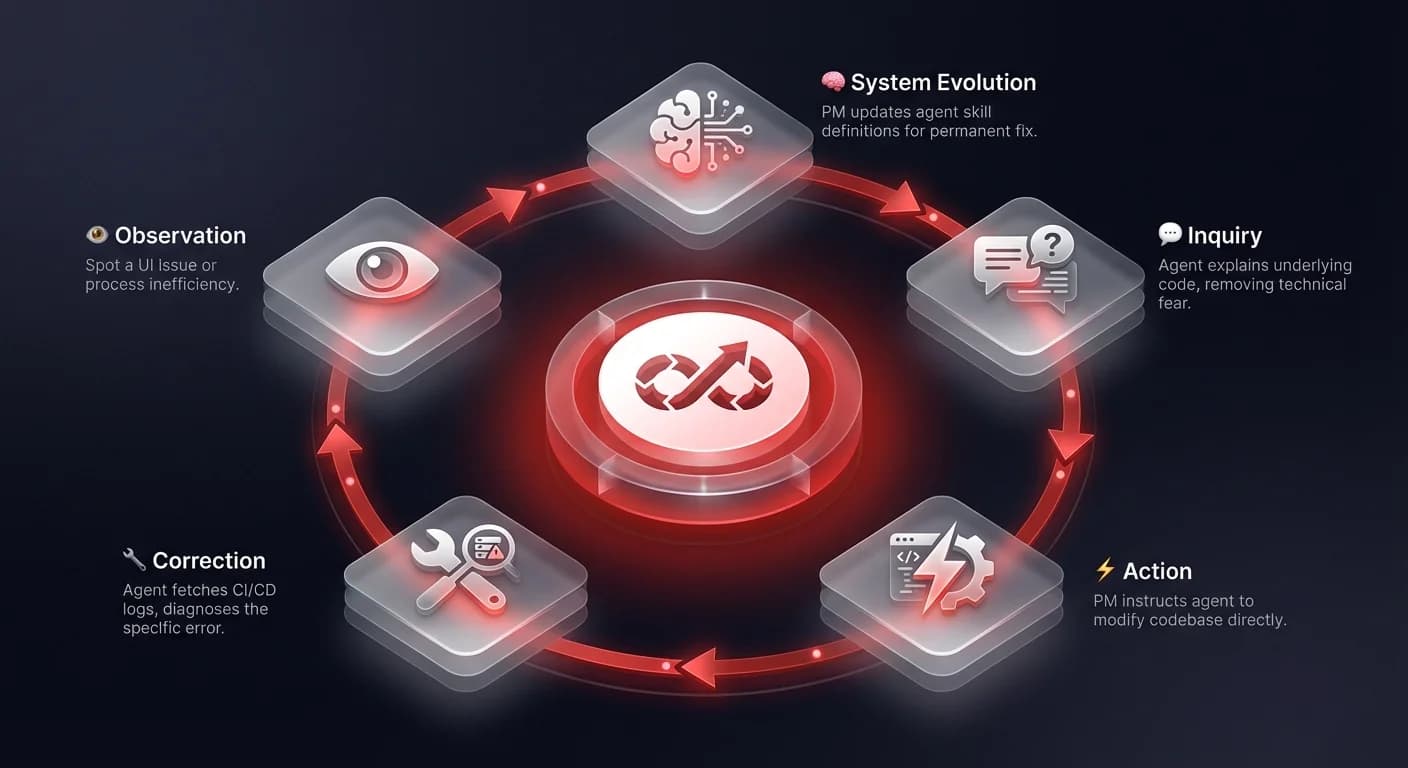

AI agents for product managers are autonomous systems that allow non-technical operations leaders to inspect code, execute changes, and debug deployment failures without requiring an engineering cycle. Unlike chat-based AI assistants, these agents integrate directly with a company's codebase, CI/CD pipelines, and internal tools — transforming PMs from passive ticket-filers into active technical contributors who can resolve "last mile" implementation tasks independently.
However, a new paradigm is emerging where AI agents for product managers act not just as assistants, but as technical bridges. We are observing a shift where non-coding leaders are using agentic workflows to inspect code, execute changes, and most importantly, debug the continuous integration (CI) pipelines that govern software delivery.
This isn't about replacing engineers; it's about empowering operational leaders to handle the "last mile" of implementation without breaking the codebase. Drawing from recent industry research and practical workflows involving tools like Codex and Buildkite, we can see a clear path toward a more autonomous, technically capable product function.
AI agents for product managers: understanding before acting
One of the primary barriers for non-technical leaders interacting with a codebase is the fear of "looking stupid." When a PM sees a UI element that seems redundant, the hesitation to ask about it often stems from a lack of technical context. Is that button tied to a legacy backend process? Will deleting it crash the reporting module?
Research into agent workflows reveals that PMs are using AI as a private contextual layer. Before tagging an engineer or filing a ticket, they use agents to analyze the code surrounding a specific feature. In one observed workflow, a PM utilized an agent to analyze a confusing button in their application. The agent read the code and the surrounding logic, explaining the button's function in plain English.
This creates a safe environment for inquiry. The PM confirmed the button was unnecessary through the agent's analysis, then verified this with the team: "Hey, I confirmed we don't need this button." By the time the human conversation happened, the PM was informed and confident. The agent served as a pre-check mechanism, reducing the social friction of technical discussions and allowing the PM to propose changes based on code reality, not just user intuition.
Moving from insight to execution
The true value of sovereign AI agents appears when users move from analysis to action. In the workflow analyzed, the PM didn't just identify the redundant button; they instructed the agent to remove it. This transition - from observer to contributor - is significant.
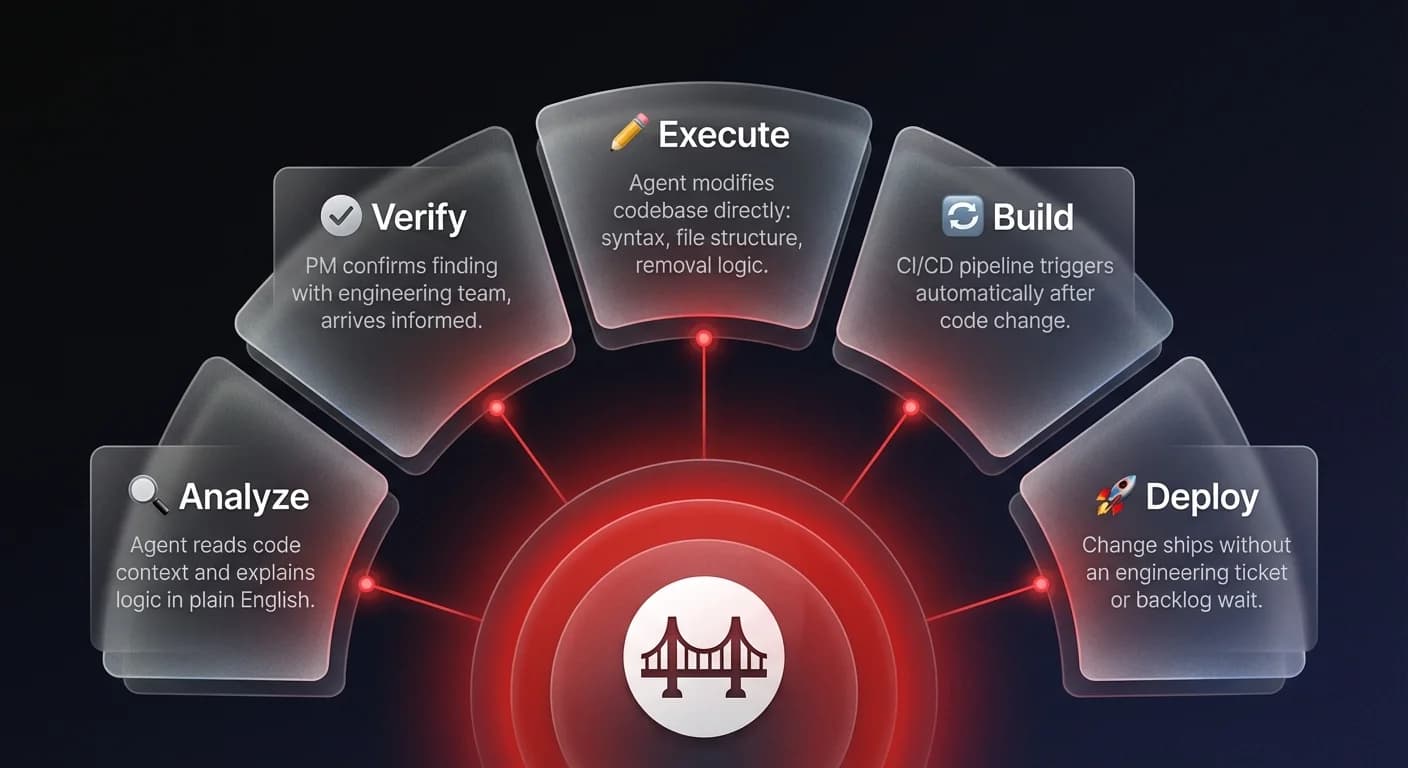
Traditionally, a PM would file a Jira ticket to "remove button X," which might sit in a backlog for weeks. With an agent integrated into the repository, the PM simply instructed the system to delete the code. The agent handled the syntax, the file structure, and the removal logic.
However, execution introduces complexity. Code changes rarely happen in isolation. They trigger build processes, automated tests, and deployment pipelines. This is where non-technical users typically hit a wall. When a Pull Request (PR) fails, the error logs are often buried in CI/CD tools like Buildkite, accessible only to those who know how to navigate them.
The observability bridge: debugging without the dashboard
When non-engineers encounter a build failure, the default reaction is to hand off the problem. The friction of logging into a separate system, finding the correct build ID, and parsing raw log files is too high. As one researcher noted regarding their own workflow, "I have become so lazy... the moment I've got to go into Buildkite and look at the test logs, I just like, ah, you know."
This "laziness" is actually a rational response to operational friction. The solution observed in high-performing agent orchestration workflows is the integration of observability "skills" directly into the agent interface.
Instead of context switching, the PM used the agent's connection to the CI/CD pipeline. By simply clicking a "skills" tab and typing "Buildkite fetch logs," the agent retrieved the specific error causing the failure. In this instance, the agent identified that the build failed because of a missing authentication token.
This capability democratizes debugging. The agent acts as the interface for complex infrastructure, allowing the PM to diagnose technical hurdles without needing to master the underlying tools. It transforms an opaque "something went wrong" into a specific, actionable problem: "you need to install the Buildkite tokens."